Article
What is a Wiki?
The simplest online database that could possibly work.
--Ward Cunningham
Different people have different ideas about what a wiki really is, but whatever angle you look at it, a wiki is software that handles complex problems with simple solutions.
Cunningham and Bo Leuf designed WikiWikiWeb, the first wiki in 1995, to be an open, collaborative community Website where anyone can contribute. Since then, programmers have created many wiki-inspired programs and wiki Websites. Most of these stay true to the goal of simplicity. Wikis can be used for a large variety of tasks, from personal note-taking to collaborating online, creating an internal knowledge base, assembling an online community, and managing a traditional website. The possibilities might make wikis seem like a daunting system, but commitment to simplicity makes wiki tools a breeze.
What's so Good About Wikis?
- Wikis Simplify Editing Your Website: Each page on a wiki has an Edit link. If you want to change something on the page, click the link, and the wiki will display a simple editing screen. When you finish making changes, submit them by clicking a button, and, Voila! Your changes show up on the Website.
- Wikis Use Simple Markup: Even for geeky types like me, thinking about HTML and formatting gets in the way of good, clear writing. Wikis solve this problem by writing the HTML for you -- you only need to learn a few simple markup rules. These rules are designed to make wiki markup easy to write and read by real people.
- Wikis Record Document Histories: If you make a mistake, don't worry. A good wiki will save plenty of old copies of your pages and will let you revert to an older version of a page. In fact, many Wikis will display a comparison, called a diffˆ, which shows you the exact changes you have made to your page over time.
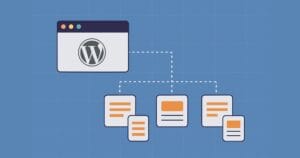
- Creating Links Is Simple With Wikis: Wikis store all your Website's content in an internal hypertext database. The wiki knows about every page you have and about every link you make. If you use a wiki, you don't have to worry about the location of files or the format of your tags. Simply name the page, and the wiki will automatically create a link for you.
- Creating New Pages Is Simple With Wikis: Wikis let you link to pages that don't yet exist. Click on a link that points to a nonexistent page, and the wiki will ask you for initial content to put in the page. If you submit some initial content, the wiki will create the page. All links to that page (not just the one you clicked) will now point to the newly-created page.
- Wikis Simplify Site Organization: As wikis work like hypertext databases, you can organize your page however you want. Many content management systems require you to plan classifications for your content before you actually create it. This can be helpful, but only if what you want to convey fits a rigid mould. With a wiki, you can organize your page into categories if you want, but you can also try other things. Instead of designing the site structure, many wiki site creators just let the structure grow with the content and the links inside their content. But you don't have to have it either way. I do all three on my own site. Visitors can navigate the site by following a storyline, drilling down through a hierarchy, or they can just browse with the natural flow of the internal links. Without the wiki, such complexity would be a nightmare. Now that I use a wiki, I also find my site structure easier to manage than when I used a template system and a set of categories.
- Wikis Keep Track of All Your Stuff: Because a wiki stores everything in an internal hypertext database, it knows about all your links and all your pages. So it's easy for the wiki to show back links, a list of all the pages that linking to the current page. Since the wiki stores your document history, it can also list recent changes. Advanced wikis like the Wikipedia can even show a list of recent changes to pages that link to the current page.
- Many Wikis are Collaborative Communities: The original wiki allows anyone to click the Edit button and change the Website. While this may seem odd, many wikis are able to do this successfully without major issues in terms of vandalism. Remember, the wiki stores the history of each page. For each vandal, there are probably ten people who actually need the information that was there before, and who will take the time to click the button and reset the page to its former contents. Many of the wikis handle this challenge differently. Some are completely open, some restrict access, and one even has a democratic error/vandalism reporting system. How you deal with this challenge depends on what you plan to use the Wiki for, as we'll see.
- Wikis Encourage Good Hypertext: In my recent article, Caffeinate Your Hypertext, I wrote that wikis are the purest form of hypertext available on the Web today. Many wikis sport features that make hypertext geeks drool, but the features aren't the real reason wikis make great hypertext tools. They succeed because they make writing hypertext elegantly and easy. Effective Wiki writers don't have to be geeks. They just need to be able to type.
It might be difficult to imagine a simple product that does everything I describe. So why not try it for yourself? Start out on your own computer; you don't even need to install a Web server in order to play with a wiki. Notebook, which acts like a personal wiki for keeping track of notes and other ideas, runs as a regular computer application, and is available on multiple operating systems. It's great for managing your brain.
Nathan, also known as